Showing posts with label Media Players. Show all posts

Adobe Media Player

Adobe Media Player 1.8

Adobe Media Player software provides control and flexibility to view what you want, when you want - whether online or offline. You can queue up and download your favorite Internet TV content, track and download new episodes automatically, and manage your personal video library for viewing at your convenience.
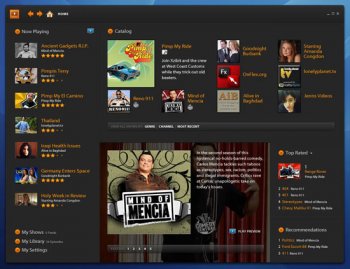
Adobe Media Player has been my media player of choice for watching their product videos, tutorials and occassionaly my FLV's. Its name could be misleading as it is not designed to be a general media player but a player targeting creative professionals. It is also a small cross-platform media player for its UI. Any claims about bloated probably have not done any objective research or even known anything in terms of that level of programming. Adobe Media Player is able to work responsively on my 1.6Ghz laptop with jazzy UI animations, and flawless content playback, something that Windows Media Player or Quicktime could not even come close.

GOM Media Player

GOM Media Player 2.1.28.5039
As various media players jockey for position to become your default setting for music and video streams, GOM Media Player's support for a wide range of file formats has helped it stand out as a firm favorite.

Supported formats include DAT, MPEG, DivX, XviD, WMV, ASF, AVI, and MOV, as are common codecs like FLV1, AC3, OGG, MP4, and H263. A pop-out playlist can save and organize your various media files, though the limited sort modes--two--hardly makes it a champ.

More impressive are the customizable settings on the control panel. Here you can adjust a video's image brightness, hue, and saturation. There's no preview window, and changes occur as the video runs, so unless you care for a rousing session of trial and error, be sure to tweak the settings after clicking "play." There's also a built-in screen-capture feature that includes zooming and panning, customizable themes, hot keys, and a host of preset and adjustable audio controls.


GOM is weakest when you're looking for help documentation and trying to tweak Save settings, but overall it's a very strong player worth at least a supporting role in your video-watching habits, if not the lead.

Media Player Classic

Media Player Classic 6.4.9.1
Its small size, low memory footprint, and numerous features make this the media player of choice, but you must add the proper codecs to perfect this freeware. Media Player Classic's interface reflects its title--retro, old school, basic. This single player easily replaces the four or five video players installed on most systems. The only caveat is that you must download a complete set of codecs to play your favorite video formats. Media Player Classic also easily loads and plays DVDs. We liked how you can easily increase or decrease playback speed.

This program also plays most audio formats. We were surprised this tiny player includes sound filters and playlists. Hot keys are easily changed, but some users complain the process to set a key isn't apparent. The help file isn't included, but is easily downloaded.

The promised video subtitle search and download function is Media Player Classic's only disappointment. The default subtitle databases are both offline. (By the time you download this player there may be a new database available.) The address is easily changed under Options. It doesn't matter if you're a novice or system administrator. If you watch video or listen to audio, this freeware player is a must-have program.

VLC Media Player 1.1.7

VLC Media Player is a long-time open-source favorite, and the latest version is also the first to be out of beta development. It's not the only option for free video playback, but it's one of the best, and the feature updates in version 1 make it well worth the upgrade.

Users can now get frame-by-frame advancement, granular speed controls allowing for on-the-fly slower or faster playback, and live recording of streaming video. The toolbars are fully customizable, so you can have only the buttons you need in the interface, there's AirTunes streaming, and there's better integration in Gtk environments. Along with the improvements, VLC continues to offer robust support for a wide range of video and audio formats, including OGG, MP2, MP3, MP4, DivX, HD codecs like AES3, Raw Dirac, and even support for playing back zipped files.

The default interface is still a stripped down player that belies VLC's functionality and features. Skinning can fix that quickly, but behavior can still be a bit unpredictable depending on the quality of the skin. VLC's open-source foundation and community ensures that it evolves quickly and often, with new features and fixes released frequently. Overall, VLC Media Player is a must-have application for its ability to open just about any type of video file you throw at it.